
01Haemil Explorer

01Haemil Explorer

Your Mac files, the familiar way.

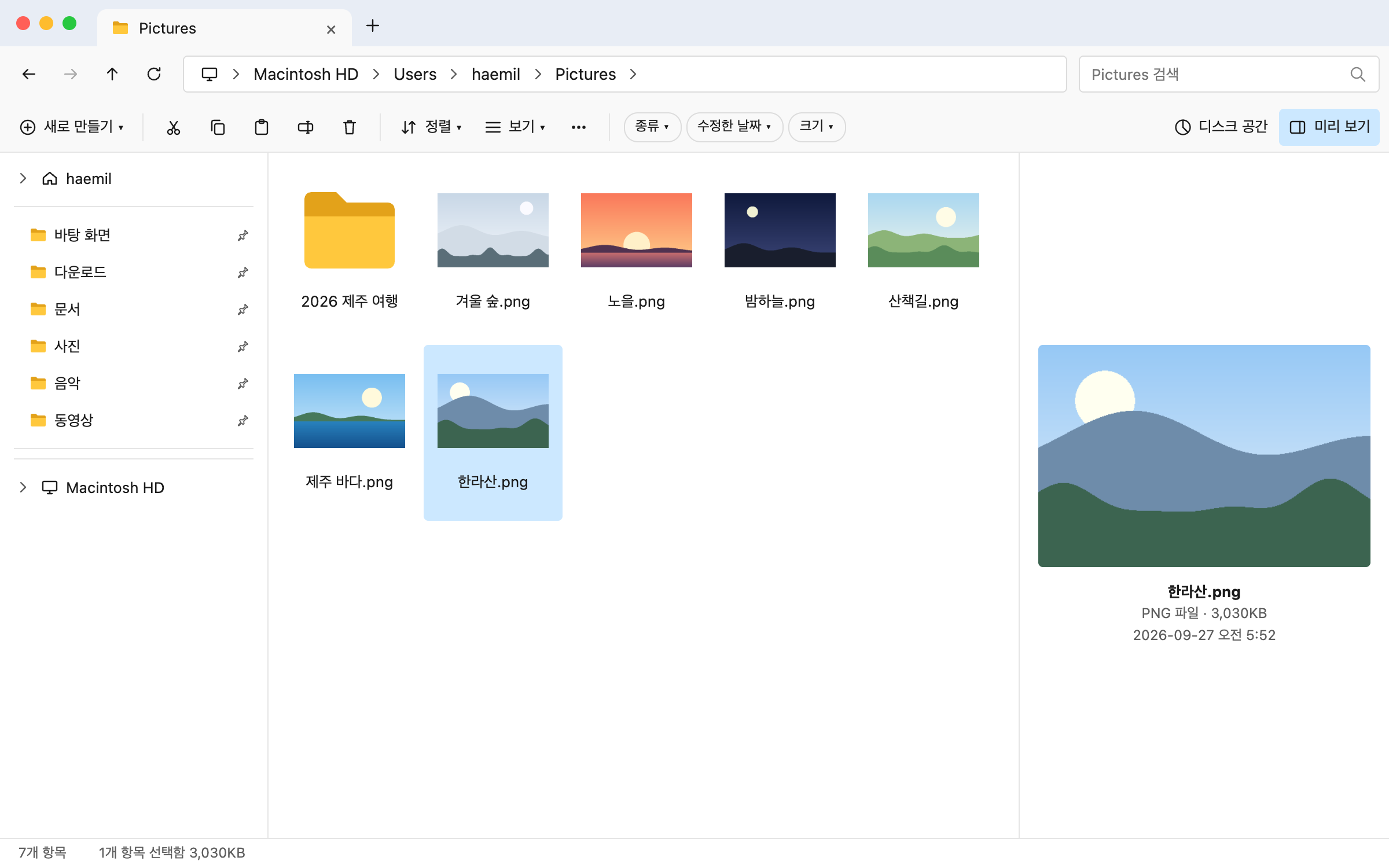
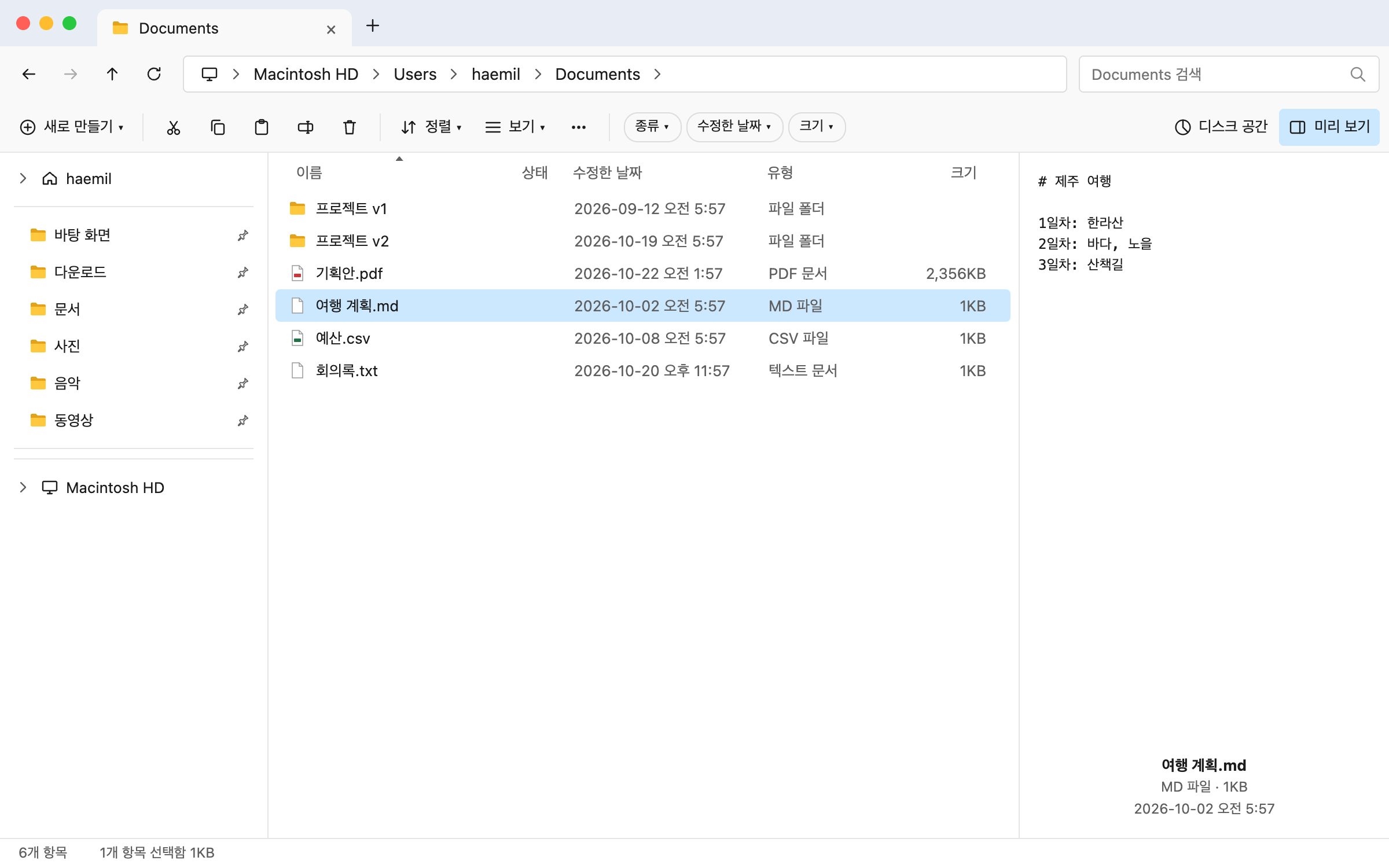
Tabs, an address bar, dual panes, ten views. Use it the way your hands already know from Windows File Explorer.

Free · 14-day Pro trial · App UI in English and KoreanSee what’s new →

Tabs · Dual panes · Content search · Disk space · Tags · Trash

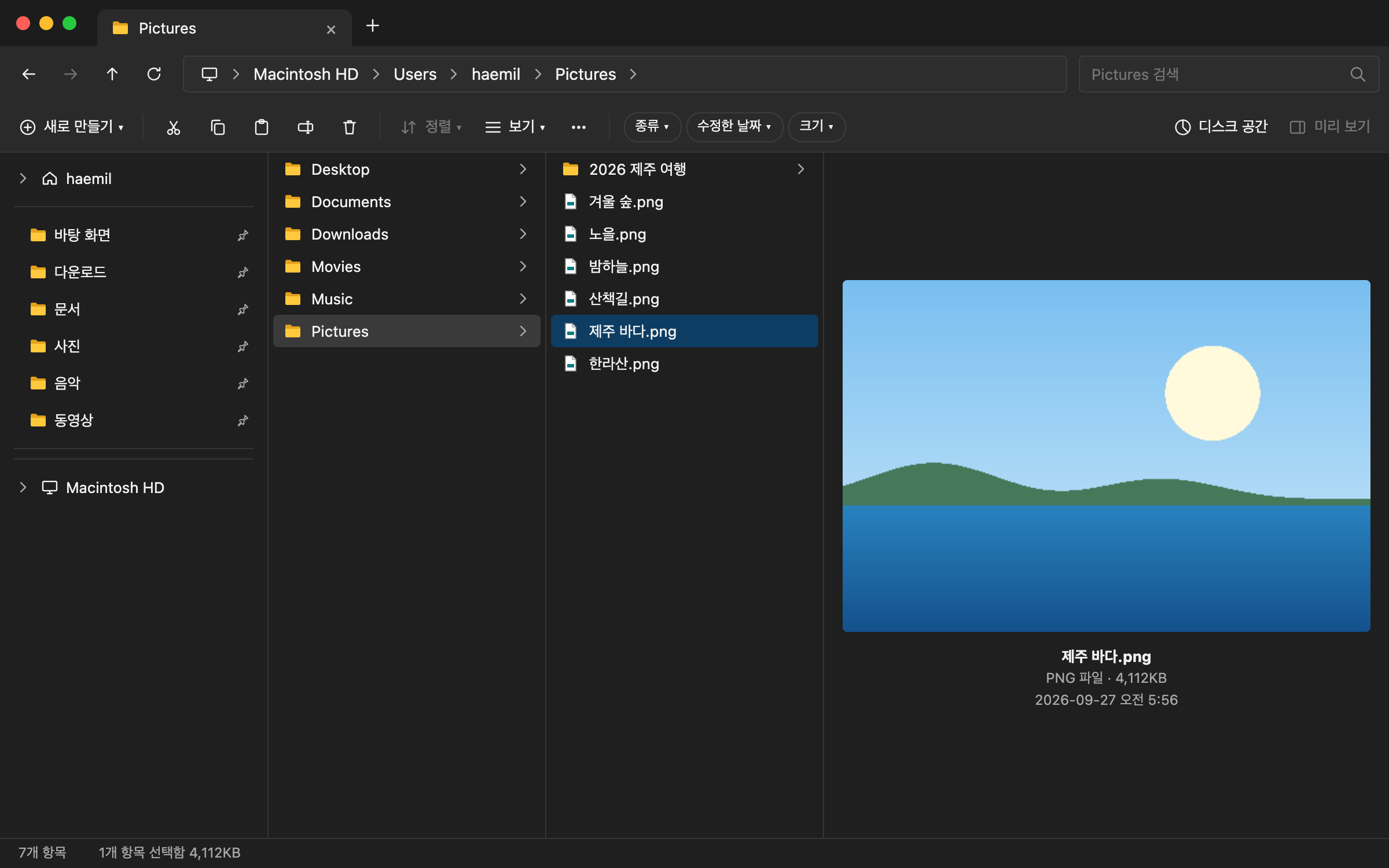
Large icons · preview pane

02Features

Everything you need.

  1. Free01

    Tabs and ten views

    Open folders in tabs. Each folder remembers its view.

  2. Free02

    Content search

    Find files by the text, images and audio inside them. All processing stays on this Mac.

  3. Free03

    App finder

    Find apps by name, Korean initials or what they do.

  4. Pro04

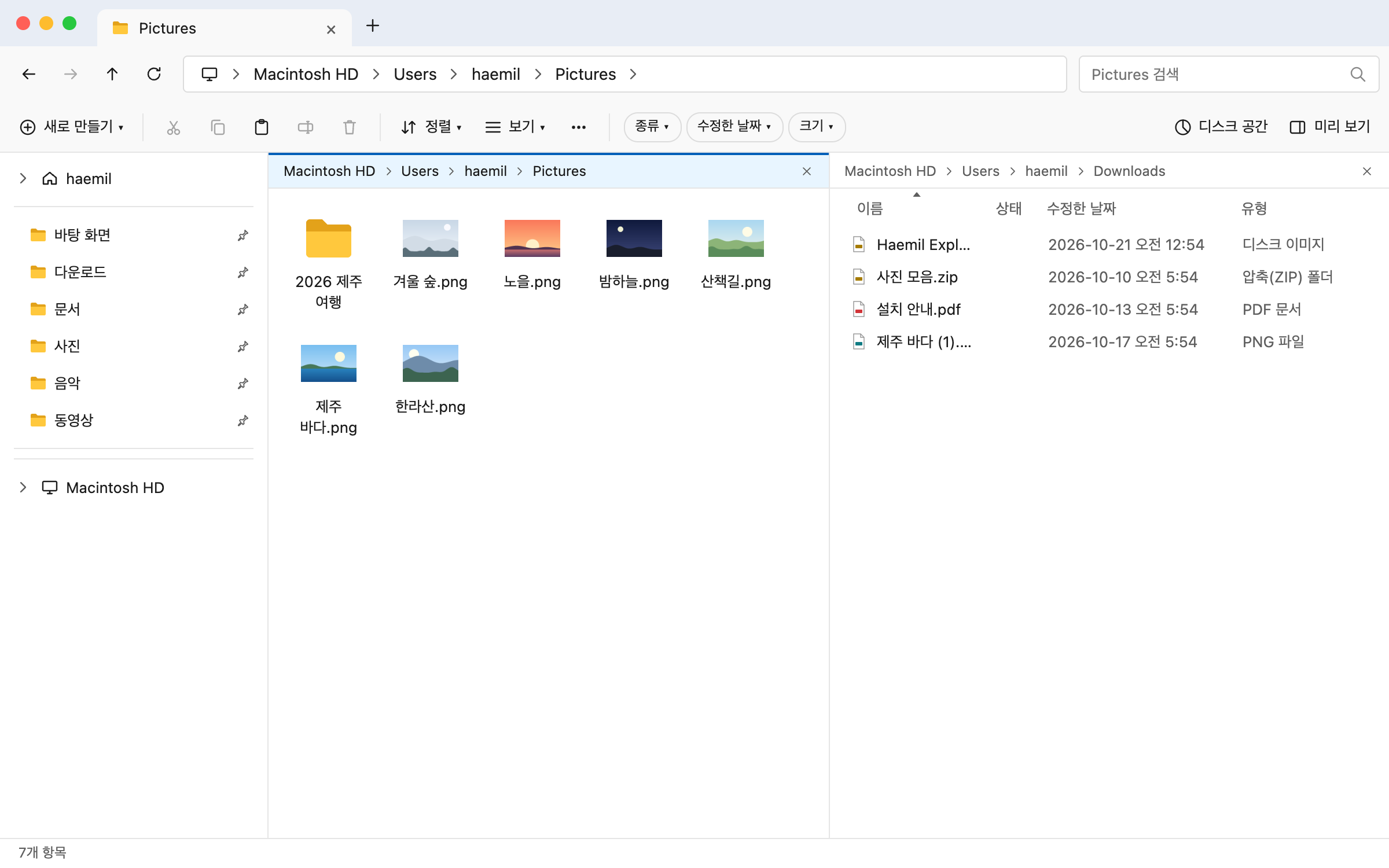
    Dual panes

    Put two folders side by side and drag between them.

  5. Pro05

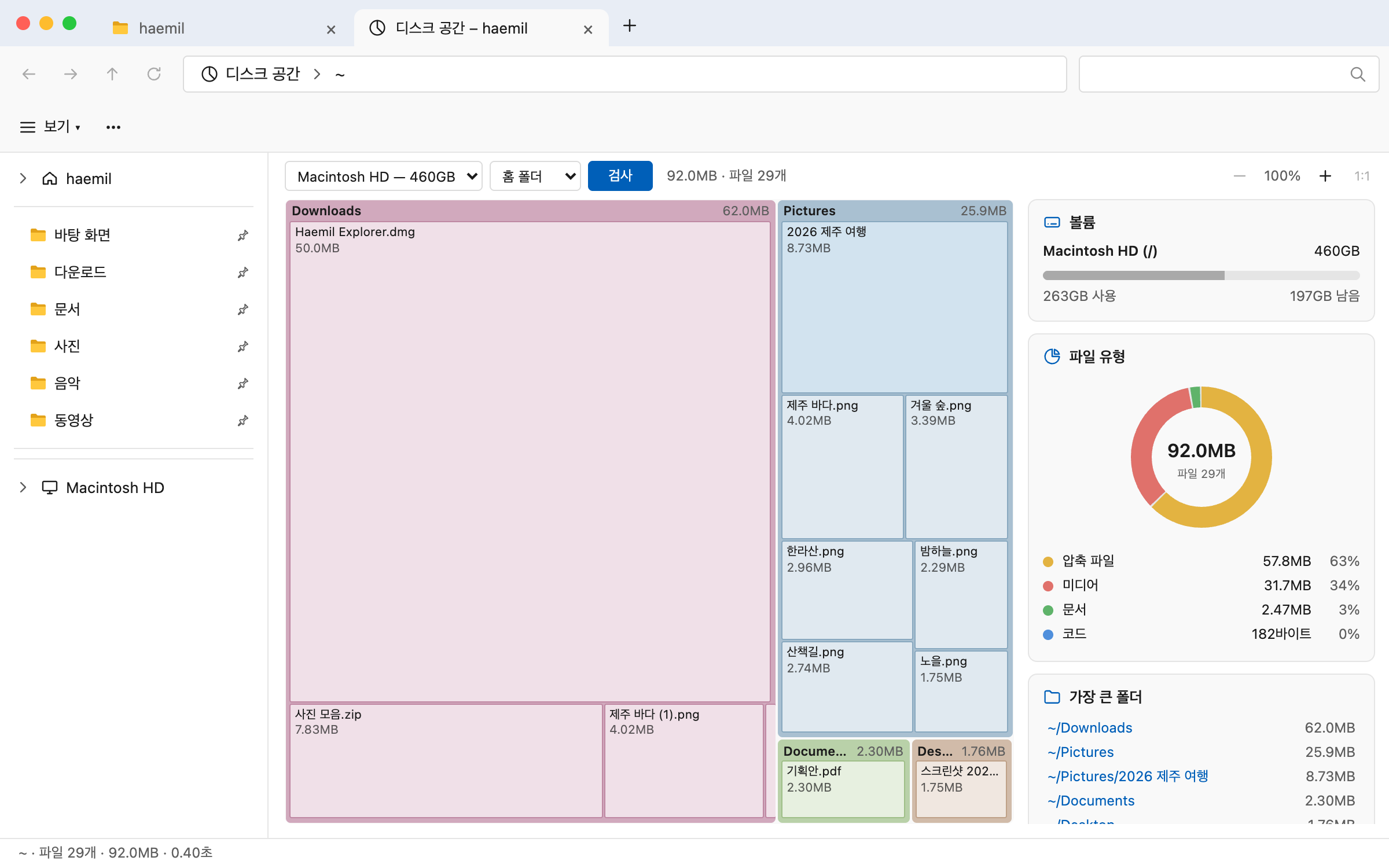
    Disk space

    See at a glance what takes up your space.

  6. Pro06

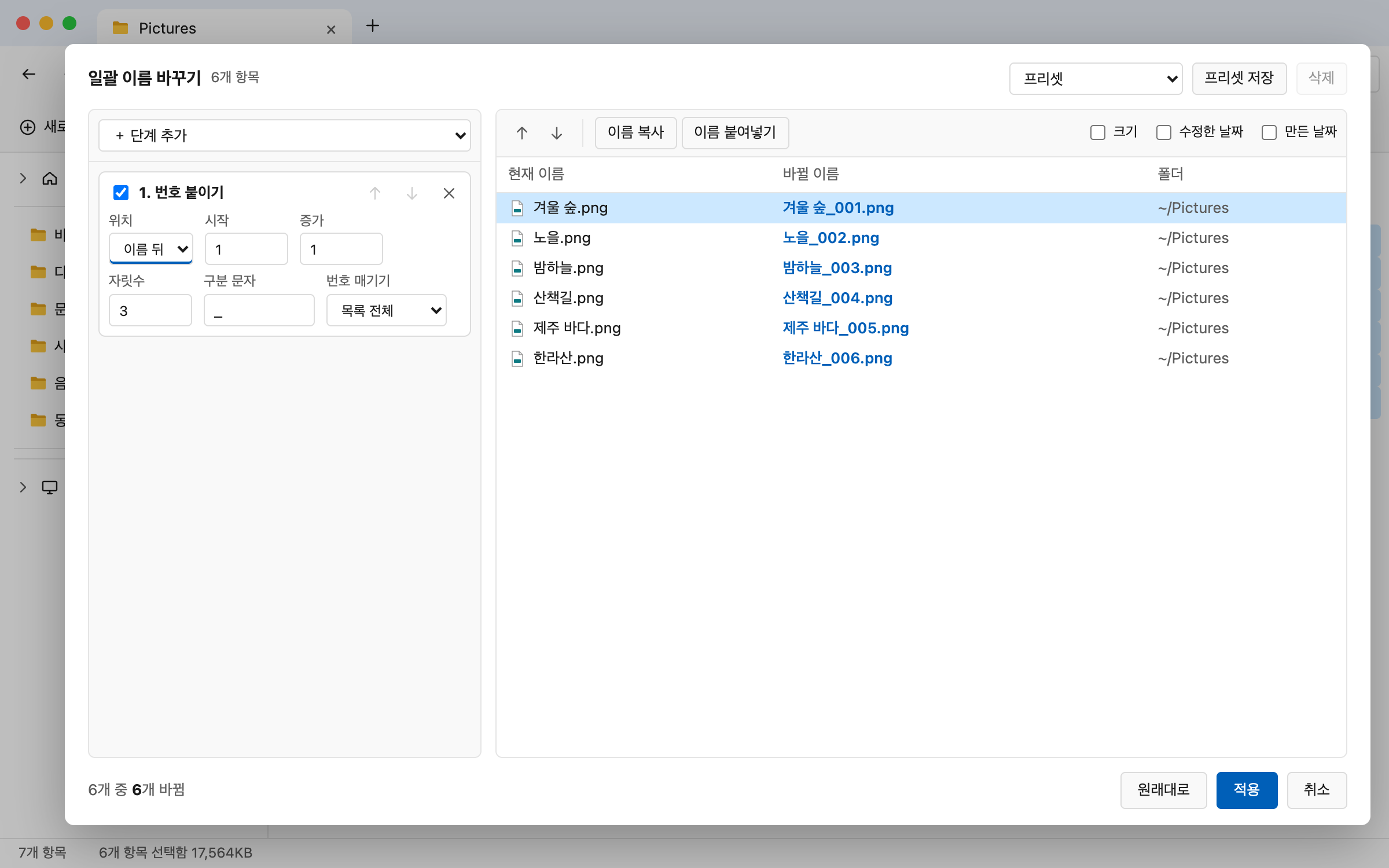
    Batch rename

    Rename many files at once by a rule.

  7. Pro07

    Folder compare & sync

    Find what differs between two folders and bring them in line.

  8. Pro08

    Duplicate finder

    Find files with identical contents and free up space.

  9. Pro09

    ZIP as a folder

    Browse and extract without unzipping.

Still here from Finder

Free
  • Tags

    See, add and gather color tags.

  • Recents

    Frequent folders and recent files.

  • Trash

    Put Back and Empty Trash.

  • Quick Actions

    Rotate, PDF, convert pictures.

  • Connect to Server

    smb, ftp and WebDAV with ⌘K.

  • Share · AirDrop

    The macOS share menu.

  • Duplicate · Alias

    Duplicate with ⌘D, make aliases.

  • See what’s new →

04Details

Content search

Find it even when you forget the name.

Search by scenes in photos and screenshots, text in PDFs and documents, and moments in recordings and videos. Results show the PDF page or recording time with an excerpt.

  • Off until you turn it on
  • Downloads an 865 MB AI model once
  • Indexing and search stay on this Mac

Folder compare & sync

Two folders side by side, only the differences.

Put two folders side by side and see new, changed and one-sided files in color. Sync shows the plan first and changes nothing until you press the button.

  • One ⌘Z undoes the whole sync
  • Leaves iCloud-only files alone

Disk space · Duplicates

See what eats your space.

Folders appear as a block map; click one to zoom in. The duplicate finder groups files with identical contents, biggest savings first.

  • Matches files by SHA-256
  • Hard links count as one file
  • Move to Trash, then ⌘Z

Quick Look (Space)

Look without opening.

Press Space for a Quick Look window like Finder's, and flip through files with the arrow keys. Videos macOS cannot open (mkv, avi and more) play through the bundled FFmpeg.

  • Photos · PDF · video · audio · text
  • Windows Korean (CP949) text files

05Pricing

Start free.

Free

$0

The whole basic explorer

  • Tabs, ten views, thumbnails
  • Address bar and name search
  • Content search and app finder
  • Preview and Quick Look
  • Tags, Recents and Trash
  • Quick Actions: rotate pictures, make PDFs
  • Connect to Server, Share · AirDrop, Alias
  • Merge folders, pause copies
  • Extract 7z, rar, tar and password-protected zip
  • Updates
Pro · 14-day free trial

Price announced when sales open

Buy once, updates for life

  • Dual panes
  • Disk space
  • Batch rename
  • Folder compare & sync
  • Duplicate finder
  • Browse inside ZIP
  • Date and size filters, saved searches
  • Saved tab sets, file shelf
  • Batch image resize
  • Similar photos, copy text
Download for Mac

The 14-day free trial works right now, before sales begin. Every Pro feature is on the first time you open the app.

Try every Pro feature free for 14 days from first launch

System requirements

  • macOS 14 or later
  • Apple Silicon Mac (M1 or later)
  • App UI: English, Korean
  • Room for an 865 MB AI model if you turn on content search

macOS 14 or later · Apple Silicon

Your Mac files, familiar from today.

Download it and start. Every Pro feature is open for 14 days.

Windows is a trademark of Microsoft Corporation. Haemil Explorer is not affiliated with Microsoft.